
Last Updated on 2026-09-01 by william
dnf install podman container-tools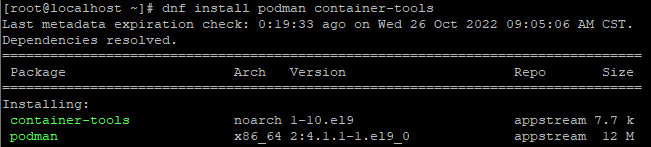
讓系統自動啟用podman
systemctl enable podman
systemctl enable podman-restart

修改預設儲存路徑(預設是”/var/lib/containers/storage”)
mkdir -p /podman/storage
vi /etc/containers/storage.conf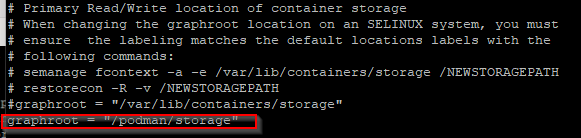
讓selinux開放使用
若 RL9 用 minimal 最小安裝,需先安裝必要套件
sudo dnf install -y policycoreutils-python-utilssemanage fcontext -a -e /var/lib/containers/storage /podman/storage
restorecon -R -v /podman/storage/

將新的podman storage綁定到原本的/var/lib/container
mount -o bind /podman/storage/ /var/lib/containers
#上面指令綁定,若確認成功,改成開機就綁定
vi /etc/fstab
/podman/storage/ /var/lib/containers bind bind 0 0
重開機,或下指令讓podman 跑起來
systemctl start podman查看修改的路徑是否生效
podman info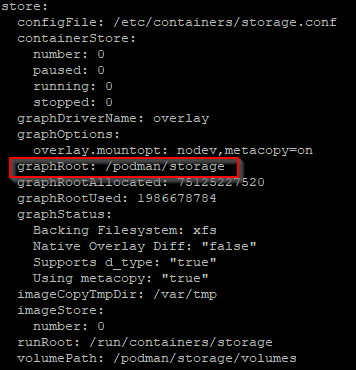
自動引用通知: Rocky Linux podman 更改storage注意事項 - 咖啡偶-IT日常
自動引用通知: Podman容器備份 - 咖啡偶-IT日常